
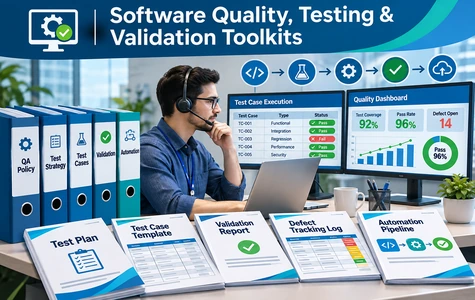
Software Quality, Testing & Validation Toolkits

Practical FDE testing playbooks, quality workbooks, automation labs and test evidence for reliable software delivery, recovery validation and user acceptance.

Software Quality, Testing & Validation Toolkits
Software Quality Testing and Validation Toolkits for risk-based testing, regression automation, performance tests, UAT and accessibility

Software delivery requires more than executing test cases. Forward Deployed Engineers and enterprise engineering teams must translate business requirements into risk-based coverage, repeatable test evidence and defensible acceptance decisions. The Software Quality, Testing & Validation Toolkits provide practical resources for evaluating application behavior and reliability across delivery environments.

The supplied index contains 38 resources organized into 6 focused parts: test strategy and coverage design; automated regression and synthetic test data; performance, load and stress validation; fault injection, chaos experiments and recovery assurance; user acceptance and defect triage; and exploratory, accessibility and cross-platform compatibility testing.

The bundle inventory includes Word guides, Excel test and evidence workbooks, Python practice labs, YAML workload models, CSV datasets, JSON fixtures and JSONL recovery telemetry. Teams can tailor these materials to establish clear acceptance criteria, record defects and test results, review resilience assumptions and support quality decisions using controlled, authorized test environments.

Benefits of This Toolkit
  • Prioritize tests based on business and technical risk with coverage matrices, requirement-to-test traceability, equivalence and boundary analysis, and design review checklists.
  • Improve repeatable regression verification using automation guides, execution procedures, Python test labs, synthetic datasets and automation quality rubrics.
  • Validate performance under demanding workloads with load and stress testing strategies, results dashboards, bottleneck triage and acceptance threshold reviews.
  • Practice resilience and recovery assurance safely through fault-injection design, controlled chaos experiments, blast-radius checklists and recovery assertions.
  • Strengthen acceptance, accessibility and release evidence with UAT scenarios, defect triage, sign-off checklists, assistive technology exercises and browser/device compatibility matrices.
Toolkit Documents

Below is the complete inventory from the supplied Index 14: 38 files organized into 6 parts. Formats include DOC, XLS, PY, JSON, YAML, CSV and JSONL.

TypeFiles List
Part 1. Test Strategies, Risk-Based Coverage & Test Design
Risk_Based_Test_Design_Playbook.doc
Test_Coverage_Priority_Matrix.xls
Requirement_to_Test_Design_Traceability.xls
Equivalence_Boundary_Analysis.xls
Test_Design_Review_Checklist.xls
Part 2. Automated Tests, Synthetic Test Data & Regression Suites
Automated_Test_Engineering_Guide.doc
Testing_Execution_Procedure.doc
Automated_Regression_Results.xls
Test_Automation_Quality_Rubric.xls
Automated_Test_Suite_Starter.py
Test_Data_Generator_Lab.py
Synthetic_Application_Test_Fixtures.json
Part 3. Performance, Load, Stress & Reliability Verification
Performance_Test_Strategy.doc
Performance_Test_Failure_Casebook.doc
Load_Stress_Test_Result_Dashboard.xls
Performance_Bottleneck_Triage.xls
Performance_Threshold_Review.xls
Load_Test_Workload_Model.yaml
Performance_Synthetic_Workload_Data.csv
Part 4. Fault Injection, Chaos Experiments & Recovery Verification
Fault_Injection_Test_Design_Guide.doc
Resilience_Experiment_Hypothesis_Register.xls
Recovery_Assertion_and_Acceptance_Checklist.xls
Chaos_Experiment_Result_Workbook.xls
Chaos_Test_Blast_Radius_and_Sandbox_Authorization_Checklist.xls
Safe_Failure_Injection_Training_Lab.py
Synthetic_Failure_Recovery_Telemetry.jsonl
Part 5. User Acceptance Testing, Defect Triage & Acceptance Evidence
UAT_Facilitation_Procedure.doc
UAT_Stakeholder_Exercise.doc
UAT_Scenario_and_Expected_Result_Catalog.xls
Defect_Severity_Triage_Decision_Matrix.xls
Acceptance_Test_Evidence_Index.xls
UAT_Signoff_Evidence_Checklist.xls
Part 6. Exploratory, Accessibility & Cross-Platform Compatibility Testing
Exploratory_Test_Charter.doc
Assistive_Technology_Test_Scenarios.doc
Accessibility_Conformance_Practice_Checklist.xls
Device_Browser_Compatibility_Matrix.xls
User_Interface_Regression_Review.xls
Exploratory_Defect_Dataset.csv

Price: $47.00

PayPal Cards

Secure payment via PayPal. Instant digital delivery after successful payment.

Download index filePayment guide

Date File Updated10/04/2025
File Formatdoc, xls, py, json, yaml, csv, jsonl
No. of files38 Files, 6 Folders
File download size3.02 MB (.rar)
LanguageEnglish English

This document has been certified by a professional

100% customizable. You can edit our templates as needed.

Instant download after completing your order.

We recommend downloading this file onto your computer.

Your payment information is processed securely.

After payment, if you require an invoice, please email us.

Support contact: supports@it-toolkits.org

FDE SOFTWARE QUALITY & VALIDATION TOOLKIT

Build confidence with risk-based testing and evidence-driven validation

Practical resources for test planning, automated regression, performance verification, recovery experiments, UAT, defect triage and accessible cross-platform software quality.

FAQs

1. Who is the Software Quality, Testing & Validation Toolkit intended for?

The resources are relevant to Forward Deployed Engineers, QA leads, software test engineers, test architects, SRE teams, release managers, business acceptance owners and delivery quality specialists preparing or evaluating software releases.

2. How many resources and sections are included?

The attached Index 14 identifies 38 files across 6 parts. The sections cover risk-based test design, regression automation, performance verification, fault injection, UAT and accessibility/cross-platform testing.

3. Which document and engineering file formats are listed?

The inventory contains 10 DOC, 20 XLS, 3 PY, 2 CSV, 1 JSON, 1 YAML and 1 JSONL file. The document table reproduces each filename and its section from the provided index.

4. Does the toolkit support risk-based testing and requirement traceability?

Yes. Part 1 lists a Risk-Based Test Design Playbook, Test Coverage Priority Matrix, Requirement-to-Test Design Traceability workbook, Equivalence Boundary Analysis and Test Design Review Checklist.

5. How can testers apply equivalence classes and boundary analysis?

The Equivalence Boundary Analysis worksheet and test design review materials provide a structured starting point for identifying representative and edge-case inputs. Teams should adapt the rules to their application requirements.

6. Are automated test examples and synthetic data included?

Part 2 lists an Automated Test Engineering Guide, Testing Execution Procedure, Automated Test Suite Starter in Python, Test Data Generator Lab and Synthetic Application Test Fixtures in JSON.

7. Does the toolkit include regression test tracking and review?

Yes. The Automated Regression Results workbook and Test Automation Quality Rubric can support traceable discussions of test outcomes, coverage, maintainability and issues discovered during repeated testing.

8. Which performance testing resources are provided?

Part 3 lists a Performance Test Strategy, Performance Test Failure Casebook, Load Stress Test Result Dashboard, Performance Bottleneck Triage, Performance Threshold Review, workload-model YAML and synthetic performance workload CSV.

9. Can the tools support load, stress and reliability verification?

Yes. The index includes workload modeling and performance evidence materials that can support evaluation of throughput, latency, capacity and failure behavior. The inventory does not establish a complete production load-testing service.

10. What fault-injection and chaos engineering materials are available?

Part 4 provides a Fault Injection Test Design Guide, Resilience Experiment Hypothesis Register, recovery assertion checklist, Chaos Experiment Result Workbook, blast-radius authorization checklist and a Safe Failure Injection Training Lab.

11. Are chaos experiments safe to run on production infrastructure?

No production authorization is implied. Fault injection and chaos experiments require explicit approval, bounded scope, recovery controls and controlled environments. The indexed exercises are for learning and assessment, not permission to disrupt customer systems.

12. Can teams use the toolkit to document recovery assertions?

Yes. Part 4 includes a Recovery Assertion and Acceptance Checklist plus synthetic failure and recovery telemetry in JSONL to support discussions of expected recovery behavior and test evidence.

13. Does the toolkit help with user acceptance testing and sign-off?

Part 5 includes UAT Facilitation Procedure, UAT Stakeholder Exercise, scenario and expected-result catalog, acceptance evidence index and UAT Signoff Evidence Checklist for structured business acceptance reviews.

14. How are defect severity and triage decisions addressed?

Part 5 includes a Defect Severity Triage Decision Matrix to help review impact and treatment priority. Severity definitions, authority and escalation should be aligned with local customer and organization procedures.

15. What accessibility and compatibility testing resources are provided?

Part 6 includes Assistive Technology Test Scenarios, Accessibility Conformance Practice Checklist, Device Browser Compatibility Matrix, User Interface Regression Review and Exploratory Test Charter.

16. Does the toolkit certify accessibility compliance or guarantee defect-free software?

No. The listed checklists and exercises support internal testing and evidence collection. They do not independently certify accessibility conformity, security, performance or defect-free operation. Formal acceptance remains the responsibility of the relevant organization and stakeholders.

17. What is the purchase price and payment method?

The displayed price is $47.00 USD. The page retains the PayPal payment forms from the source HTML template. The Payment Guide describes the purchase process; contact supports@it-toolkits.org for assistance.

18. Where can I review the complete file index or request support?

The full 38-file inventory is displayed in the Toolkit Documents section above. For questions about formats, appropriate tools or adapting a testing workflow, contact supports@it-toolkits.org.