
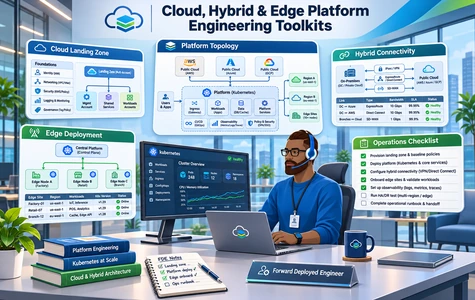
Cloud, Hybrid & Edge Platform Engineering Toolkits

Design, review and operate cloud, hybrid and industrial edge platforms with practical engineering guides, planning models, diagrams and hands-on exercises.

Cloud, Hybrid & Edge Platform Engineering Toolkits
Cloud, Hybrid and Edge Platform Engineering Toolkits for landing zones, Kubernetes, FinOps and resilience

Cloud, hybrid and edge platforms require coordinated decisions on networking, security boundaries, capacity, costs, reliability and remote operations. The Cloud, Hybrid & Edge Platform Engineering Toolkits provide practical engineering references and working artifacts for evaluating, designing and reviewing these platforms in enterprise and industrial settings.

Organized into 7 parts and 43 indexed files, the toolkit covers cloud landing zones, network connectivity and diagnostics, Kubernetes and managed services, workload sizing and autoscaling, FinOps and unit economics, hybrid multi-region recovery, and industrial edge connectivity with offline operation.

The index combines Word guides, Excel workbooks, Draw.io architecture diagrams, Kubernetes YAML, lab and test data, a Python simulation and a ZIP lab bundle. FDE and platform teams can use these materials to document design assumptions, review technical trade-offs, run exercises and adapt deployment decisions to their own environment.

Benefits of This Toolkit
  • Design reliable cloud landing zones with platform baseline requirements, readiness checklists, reference infrastructure catalogs and account topology diagrams.
  • Evaluate network and Kubernetes readiness through route/DNS analysis, network segmentation diagnostics, YAML deployment exercises and container operations checklists.
  • Right-size workloads and validate capacity using sizing calculators, autoscaling stress tests, performance benchmarks and capacity review checklists.
  • Improve cloud financial transparency with compute/storage/network cost models, transaction unit economics, cost anomaly analysis and chargeback/showback worksheets.
  • Plan hybrid resilience and industrial edge operations using multi-region failover tests, RTO trade-off models, data-locality registers, offline synchronization labs and OT connectivity reviews.
Toolkit Documents

Below is the complete inventory from the supplied toolkit index: 43 files organized across 7 parts. The index covers DOC, XLS, DRAWIO, YAML, ZIP, CSV, PY and JSONL assets.

TypeFiles List
Part 1. Cloud Landing Zone, Platform Architecture & Readiness
Cloud_Landing_Zone_Design_Guide.doc
Cloud_Design_Casebook.doc
Cloud_Platform_Baseline_Requirements.xls
Cloud_Landing_Zone_Readiness_Checklist.xls
Cloud_Reference_Infrastructure_Catalog.xls
Cloud_Tenant_Account_Topology.drawio
Part 2. Cloud Network Design, Connectivity & Diagnostics
Cloud_Network_Analysis_Playbook.doc
Network_Failure_Injection_Scenarios.doc
Connectivity_Route_DNS_Workbook.xls
Network_Segmentation_Diagnostic.xls
Connectivity_Review_Checklist.xls
Cloud_Network_Topology.drawio
Part 3. Container Platforms, Kubernetes & Managed Services
Cluster_Workload_Troubleshooting_Guide.doc
Platform_Service_Review_Cases.doc
Platform_Resource_Quota_Model.xls
Container_Operations_Checklist.xls
Kubernetes_Application_Deployment.yaml
Kubernetes_Failure_Lab.yaml
Container_Runtime_Lab_Bundle.zip
Part 4. Cloud Workload Sizing, Capacity & Performance
Capacity_Envelope_Decision_Guide.doc
Cloud_Workload_Capacity_Sizer.xls
Cloud_Capacity_Validation_Checklist.xls
AutoScaling_Capacity_Stress_Test.xls
Platform_Throughput_Benchmark_Data.csv
Part 5. Cloud FinOps, Cost Allocation & Unit Economics
Cloud_FinOps_Tradeoff_Exercise.doc
Compute_Storage_Network_Cost_Model.xls
Cost_Per_Transaction_Comparison.xls
Cloud_Usage_Cost_Anomaly_Investigation.xls
Cloud_Chargeback_and_Showback_Model.xls
Cloud_Billing_Chargeback_Source_Data.csv
Part 6. Hybrid Cloud, Data Locality & Multi-Region Recovery
Hybrid_Failover_Design_Case.doc
Regional_Data_Locality_Constraint_Register.xls
Multi_Region_Resilience_Comparison.xls
Multi_Region_Failover_Execution_Test_Cases.xls
Hybrid_Recovery_Dependencies_and_RTO_Tradeoff_Model.xls
Hybrid_Edge_Reference_Topology.drawio
Part 7. Industrial Edge Runtime, Connectivity & Offline Operations
Edge_Offline_Buffering_and_Store_Forward_Runbook.doc
Edge_OT_Connectivity_Boundary_Analysis.xls
Industrial_Edge_Platform_Review.xls
Edge_Compute_Resource_Sizing_Calculator.xls
Edge_Firmware_and_Device_Configuration_Change_Review.xls
Edge_Offline_Sync_Simulation.py
Edge_Sensor_Telemetry_Test_Fixtures.jsonl

Price: $47.00

PayPal Cards

Secure payment via PayPal. Instant digital delivery after successful payment.

Download index filePayment guide

Date File Updated10/04/2025
File Formatdoc, xls, drawio, yaml, zip, csv, py, jsonl
No. of files43 Files, 7 Folders
File download size3.02 MB (.rar)
LanguageEnglish English

This document has been certified by a professional

100% customizable. You can edit our templates as needed.

Instant download after completing your order.

We recommend downloading this file onto your computer.

Your payment information is processed securely.

After payment, if you require an invoice, please email us.

Support contact: supports@it-toolkits.org

CLOUD, HYBRID & EDGE ENGINEERING TOOLKIT

Engineer resilient cloud, hybrid and edge platforms with confidence

Practical reference guides, capacity and FinOps workbooks, architecture diagrams, Kubernetes exercises, failover scenarios and edge operations tools for FDE and platform teams.

FAQs

1. Who is the Cloud, Hybrid & Edge Platform Engineering Toolkit intended for?

This toolkit is designed for Forward Deployed Engineers, cloud platform engineers, solution architects, Kubernetes engineers, SREs, infrastructure managers, FinOps practitioners and industrial edge teams that plan or review enterprise cloud, hybrid and edge deployments.

2. What does this cloud, hybrid and edge toolkit cover?

The index lists 43 files across 7 parts, covering landing-zone architecture, cloud network diagnostics, container and Kubernetes operations, workload capacity, FinOps, hybrid/multi-region recovery and industrial edge runtime operations.

3. How many files are included and which formats are used?

The index contains 43 files: 10 DOC, 23 XLS, 3 Draw.io diagrams, 2 YAML manifests, 2 CSV datasets, 1 ZIP lab bundle, 1 Python exercise and 1 JSONL fixture file. The inventory table reproduces their exact filenames.

4. Can I inspect the list of documents before purchasing?

Yes. The Toolkit Documents table on this page lists all 43 files under their seven respective parts. The existing Download Toolkit Index and Payment Guide controls are preserved from the website template.

5. How can the toolkit help with cloud landing-zone design?

Part 1 includes a cloud landing-zone design guide, architecture casebook, baseline requirements, readiness checklist, infrastructure catalog and cloud tenant/account topology diagram to support design discussions and readiness reviews.

6. Are cloud network connectivity, DNS and segmentation covered?

Yes. Part 2 includes connectivity route and DNS worksheets, network segmentation diagnostics, failure-injection scenarios, a connectivity review checklist and a cloud network topology diagram.

7. What Kubernetes and container-platform materials are included?

Part 3 includes workload troubleshooting and platform service cases, resource-quota models, container operations checklists, Kubernetes deployment and failure-lab YAML files and a container runtime lab bundle.

8. Does the toolkit provide practical lab files and configuration examples?

Yes. The index identifies Kubernetes YAML exercises, a ZIP lab bundle, benchmark and billing CSV data, a Python edge simulation and JSONL telemetry fixtures. Review and run technical exercises only in authorized, isolated environments appropriate to your organization.

9. How does the toolkit support workload sizing and autoscaling?

Part 4 provides a capacity envelope decision guide, workload capacity sizer, capacity validation checklist, autoscaling stress-test workbook and platform throughput benchmark dataset.

10. Does the toolkit address Cloud FinOps and unit economics?

Yes. Part 5 includes worksheets for compute, storage and network cost modeling, cost per transaction, usage anomalies, cloud chargeback/showback and a billing-data CSV fixture.

11. Can it support financial allocation and showback discussions?

The Cloud_Chargeback_and_Showback_Model.xls and Cloud_Billing_Chargeback_Source_Data.csv files provide working references for allocating and analyzing cloud consumption. Actual pricing, rates and usage data should be supplied by your organization.

12. How are hybrid-cloud and multi-region architectures addressed?

Part 6 covers hybrid failover design, regional data locality, multi-region resilience comparisons, execution test cases, recovery dependencies and a hybrid/edge reference topology diagram.

13. Are disaster recovery requirements and RTO trade-offs included?

Yes. The multi-region failover execution test cases and hybrid recovery dependencies/RTO trade-off model help teams examine recovery sequencing, dependencies and resilience assumptions. They do not replace production-specific recovery testing.

14. Does the toolkit address data residency and locality constraints?

Part 6 includes a Regional_Data_Locality_Constraint_Register.xls for documenting locality requirements alongside hybrid deployment and resilience choices. Teams must validate applicable legal and contractual requirements for their environments.

15. What industrial edge and offline-operation scenarios are covered?

Part 7 includes an offline buffering and store-and-forward runbook, OT connectivity boundary analysis, industrial edge platform review, compute sizing calculator, firmware/device change review, Python offline sync simulation and telemetry test fixtures.

16. Can the materials be adapted for different clouds and enterprise environments?

The listed DOC, XLS, Draw.io and technical exercise files are intended as working references. Adapt architecture assumptions, network routes, Kubernetes configurations, operating permissions, cost inputs and recovery requirements to your own platform and deployment controls.

17. What does the toolkit cost and how is payment handled?

The listed price is $47.00 USD. The website retains its existing PayPal checkout buttons and payment guide. The PayPal product identifier should be updated for this toolkit before the page is used for live sales.

18. Where can I obtain help opening files or using the toolkit?

For assistance with access, file formats or toolkit customization, contact supports@it-toolkits.org. Relevant applications may include Word, Excel, Draw.io, a YAML editor, Python and utilities for ZIP/CSV/JSONL content.