
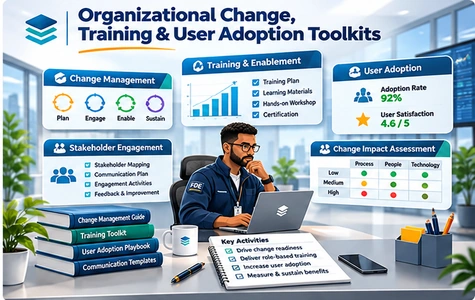
Organizational Change, Training & User Adoption Toolkits

Practical FDE change enablement resources for user readiness, role-based training, stakeholder communication, adoption analytics, recovery and post-launch sustainment.

Organizational Change, Training & User Adoption Toolkits
Organizational Change Training and User Adoption Toolkits for change impact assessment, user enablement, communications, adoption analytics and hypercare

A successful technology rollout depends on people adopting new processes, developing role-specific skills and receiving support beyond go-live. The Organizational Change, Training & User Adoption Toolkits provide practical change enablement templates for Forward Deployed Engineers, change managers, business owners, training leads and customer adoption teams working across enterprise deployments.

The supplied Index 18 identifies 34 files across 6 parts covering organizational change impact and user readiness; role-based training design and enablement; communications and change champion networks; user adoption measurement and behavioral analysis; low-adoption diagnosis and corrective actions; and post-launch hypercare, support transition and long-term adoption sustainment.

The inventory contains 13 Word documents, 18 Excel workbooks, 2 PowerPoint presentations and 1 CSV practice dataset. Use the interview guides, diagnostics, training aids, communication plans, adoption dashboards, recovery procedures and handover checklists to coordinate adoption activities and document progress. Adapt the material to each organization’s roles, user journeys, privacy constraints, implementation timeline and approved change controls.

Benefits of This Toolkit
  • Assess change impact and user readiness with structured interviews, resistance scenarios, business impact workbooks, role readiness diagnostics and review checklists.
  • Deliver role-based training and practical enablement with playbooks, job aids, practice labs, training needs analysis, skills demonstration rubrics and train-the-trainer decks.
  • Coordinate communications and local champions using stakeholder message templates, engagement roleplays, communications calendars, champion network designs and community workshops.
  • Measure adoption and diagnose friction through event definitions, user cohorts, completion funnel dashboards, feedback theme analysis and sample behavior data.
  • Recover low adoption and sustain results after launch with corrective action plans, training effectiveness follow-up, hypercare knowledge resources, support routing and acceptance checklists.
Toolkit Documents

Below is the complete document inventory from supplied Index 18: 34 files across 6 parts. File types include DOC, XLS, PPT and CSV.

TypeFiles List
Part 1. Organizational Change Impact & User Readiness
Change_Impact_Interview_Guide.doc
User_Resistance_Scenarios.doc
Business_Change_Impact_Assessment.xls
Role_Change_Readiness_Diagnostic.xls
Change_Impact_Review_Checklist.xls
Part 2. Role-Based Training Design & User Enablement
User_Enablement_Design_Playbook.doc
End_User_Quick_Reference_Job_Aid.doc
User_Training_Practice_Lab.doc
Role_Task_Training_Needs_Analysis.xls
Training_Skills_Demonstration_Rubric.xls
Train_The_Trainer_Session_Deck.ppt
Part 3. Change Communications, Local Champions & Engagement
Change_Communication_Strategy_Template.doc
User_Engagement_Roleplay.doc
Adoption_Communications_Calendar.xls
Change_Champion_Network_Design.xls
Change_Message_Review_Checklist.xls
Champion_Community_Workshop.ppt
Part 4. User Adoption Measurement & Behavior Analysis
Adoption_Friction_Diagnostic.doc
Product_Usage_Event_Definitions.xls
User_Adoption_Cohort_Analysis.xls
Adoption_Completion_Funnel_Dashboard.xls
User_Feedback_Theme_Analysis.xls
Usage_Metric_Validation_Checklist.xls
Synthetic_User_Behavior_Log.csv
Part 5. Adoption Failure Diagnosis, Recovery & Corrective Actions
Low_Adoption_Recovery_Procedure.doc
Adoption_Recovery_Challenge_Case.doc
User_Enablement_Corrective_Action_Plan.xls
Training_Effectiveness_Followup.xls
Part 6. Post-Launch Hypercare, Support Transition & Adoption Sustainment
Adoption_Sustainment_Review.doc
Hypercare_Knowledge_Base_Starter.doc
Hypercare_Ticket_Routing_Simulation.doc
User_Enablement_Handover_Checklist.xls
User_Support_Tier_and_Escalation_Matrix.xls
Support_Transition_Acceptance_Criteria.xls

Price: $47.00

PayPal Cards

Secure payment via PayPal. Instant digital delivery after successful payment.

Download index filePayment guide

Date File Updated10/04/2025
File Formatdoc, xls, ppt, csv
No. of files34 Files, 6 Folders
File download size3.02 MB (.rar)
LanguageEnglish English

This document has been certified by a professional

100% customizable. You can edit our templates as needed.

Instant download after completing your order.

We recommend downloading this file onto your computer.

Your payment information is processed securely.

After payment, if you require an invoice, please email us.

Support contact: supports@it-toolkits.org

FDE CHANGE ENABLEMENT & USER ADOPTION TOOLKIT

Turn enterprise technology deployments into sustained user adoption

Plan change impacts, enable users through role-based training, coordinate communications, measure product adoption, resolve friction and transition from hypercare into sustainable support.

FAQs

1. Who should use the Organizational Change, Training & User Adoption Toolkits?

These resources are designed for FDE teams, organizational change managers, business process owners, transformation leaders, training specialists, internal communications teams, product adoption managers and hypercare support leads who need to prepare and support users during technology deployment.

2. What files and topics are included in Index 18?

The supplied Index 18 lists 34 files across 6 parts covering change impact and readiness, role-based training, communications and champions, adoption analytics, adoption recovery, and post-launch hypercare and support transition.

3. How many Word, Excel, PowerPoint and CSV files are listed?

The index includes 13 DOC documents, 18 XLS workbooks, 2 PPT presentations and 1 CSV dataset. The full set of indexed filenames is listed in the Toolkit Documents section above.

4. How can we assess organizational change impacts before go-live?

Part 1 includes a Change Impact Interview Guide, business change impact assessment, role change readiness diagnostic, resistance scenarios and a change impact review checklist. Teams can tailor them to affected roles and process changes.

5. Does the toolkit help identify resistance and user readiness issues?

Yes. The User Resistance Scenarios.doc and Role Change Readiness Diagnostic.xls can structure discussion of adoption barriers, while the impact review checklist helps make readiness evidence visible before rollout.

6. How does the toolkit support training needs analysis by user role?

Part 2 includes a Role Task Training Needs Analysis.xls alongside an enablement design playbook, practical lab and skills demonstration rubric. Teams can map training activities to the tasks that users must perform after launch.

7. Are end-user training aids and train-the-trainer materials included?

Yes. Index 18 lists End User Quick Reference Job Aid.doc, User Training Practice Lab.doc and Train The Trainer Session Deck.ppt for creating learner-facing support and facilitator sessions.

8. What communication planning resources are available?

Part 3 provides a Change Communication Strategy Template, adoption communications calendar, user engagement roleplay and change message review checklist to help plan timely, role-relevant communications.

9. Can we establish a local change champion network?

Part 3 lists a Change Champion Network Design.xls and Champion Community Workshop.ppt. These materials can support coordination among local advocates, managers, trainers and deployment stakeholders.

10. How is user adoption measured after implementation?

Part 4 includes product usage event definitions, User Adoption Cohort Analysis.xls, an adoption completion funnel dashboard, user feedback theme analysis and a usage metric validation checklist. Measures should use actual, privacy-appropriate product data.

11. Does the toolkit provide example user behavior data?

Yes. Synthetic User Behavior Log.csv is indexed in Part 4 for practice with adoption analysis. Synthetic example data should not be presented as actual customer usage or production performance.

12. How can teams identify barriers to adoption?

The Adoption Friction Diagnostic.doc, user feedback theme workbook, cohort analysis and completion funnel dashboard can help distinguish workflow, training, communication and access-related barriers that warrant investigation.

13. What happens if adoption stays below expectations?

Part 5 includes a Low Adoption Recovery Procedure, an adoption recovery challenge case, a user enablement corrective action plan and training effectiveness follow-up. Use them to define owners, interventions and review dates.

14. Does the toolkit cover post-launch hypercare?

Yes. Part 6 lists an Adoption Sustainment Review, a hypercare knowledge base starter, a ticket routing simulation and operational handover checklists to support users during early production adoption.

15. How can hypercare transition into regular support?

The User Enablement Handover Checklist.xls, User Support Tier and Escalation Matrix.xls and Support Transition Acceptance Criteria.xls help teams document support ownership, escalation paths and readiness to exit hypercare.

16. Can I customize the tools for different industries and workforce groups?

The indexed documents, spreadsheets and presentations can be tailored to different departments, locations, languages, frontline roles and enterprise platforms. Validate privacy requirements, user access, stakeholder responsibilities and change approval criteria before using them in a live engagement.

17. Can I review the complete document index before purchasing?

Yes. The Toolkit Documents section reproduces the filenames and Part order from the uploaded Index 18. The Download Toolkit Index and Payment Guide elements retain their original HTML markup and links from the source page.

18. What is the price, payment method and support contact?

The displayed price is $47.00 USD. Both PayPal forms retain the hosted button code from the supplied HTML template pending your update. For order and document assistance, contact supports@it-toolkits.org.